Multiplayer
Sheep herding for 2 to 4 players
Open a room, send a link and work one flock together, or compete for it. Everyone plays in a browser tab. Nobody installs anything or signs up.
Play Sheepdog Sim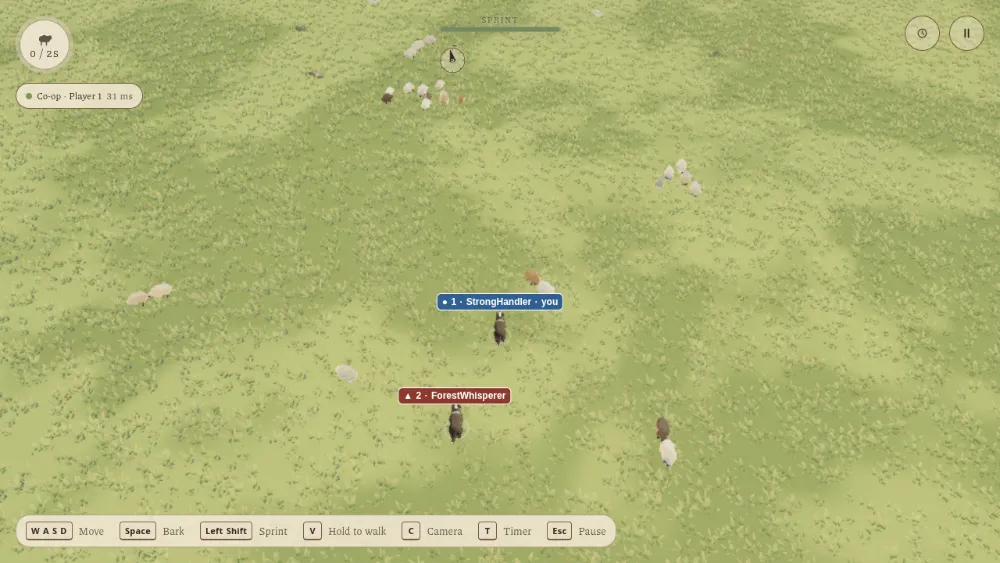
Two ways to play
Co-op
Everyone herds the same flock into one pen. Sheep run from every dog equally, so two dogs can press a flock from two sides or hold a group while the other fetches stragglers. The result shows how many sheep came home, how long it took and how many players finished.
Competitive
One shared flock, one pen each. Every sheep you bring into your pen counts for you, and once the flock is finished the highest count wins. Ties share the win. Leaving forfeits your place. The field is a square for 2 or 4 players and a six-sided field for 3, with one pen per player.
Start a room
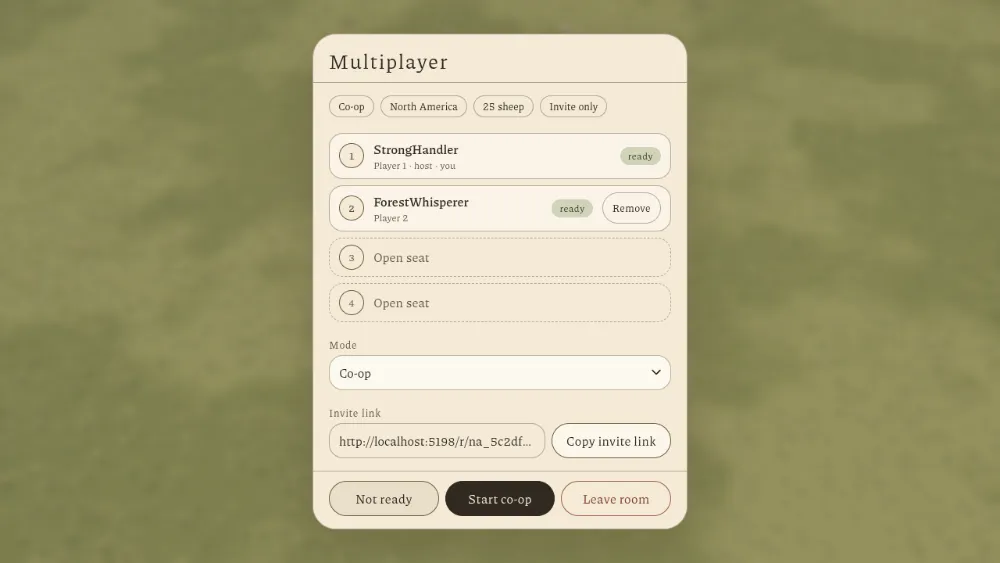
- Open the game and choose Play multiplayer.
- Under Create a room, pick a region, a mode, 25, 75 or 200 sheep, and Invite only or Public.
- Choose Create room, then Copy invite link and send it to your friends.
- They open the link and choose Join room.
- Everyone presses Ready. Once at least 2 players are connected and ready, the host starts the round.
Finding a room
Regions are North America, Europe and Asia-Pacific. The menu starts on North America, so change it if you are elsewhere, and pick the one closest to everyone in the room. Public rooms appear on a board for each region, which can be empty, so an invite link is the reliable way to play with someone.
Room space is small for now: each region hosts one room at a time. If that room is taken, the game tells you the region is full. Try another region or wait a moment.
During a round
- The controls are the same as in a solo round. See the control list.
- The shared game keeps running while your menu is open. There is no pause.
- Nobody can join a round that has already started.
- If you lose your connection, you have 15 seconds to come back.
- When a round ends, the host can return the party to the lobby and go again.
Names and stats
The game gives you a running name, and you can change it. Your multiplayer stats track matches started, rounds completed together, wins, shared wins, wins by forfeit and sheep in your pen. Multiplayer rounds do not count toward the solo time boards.
Rooms check that identity when you join. If the identity service cannot be reached, the game says it could not confirm your player identity. Solo play still works. The privacy page explains what multiplayer history stores.
New to herding?
A solo round with 25 sheep is the quickest way to learn how the flock reacts. The herding guide covers the rest.
Play Sheepdog Sim